


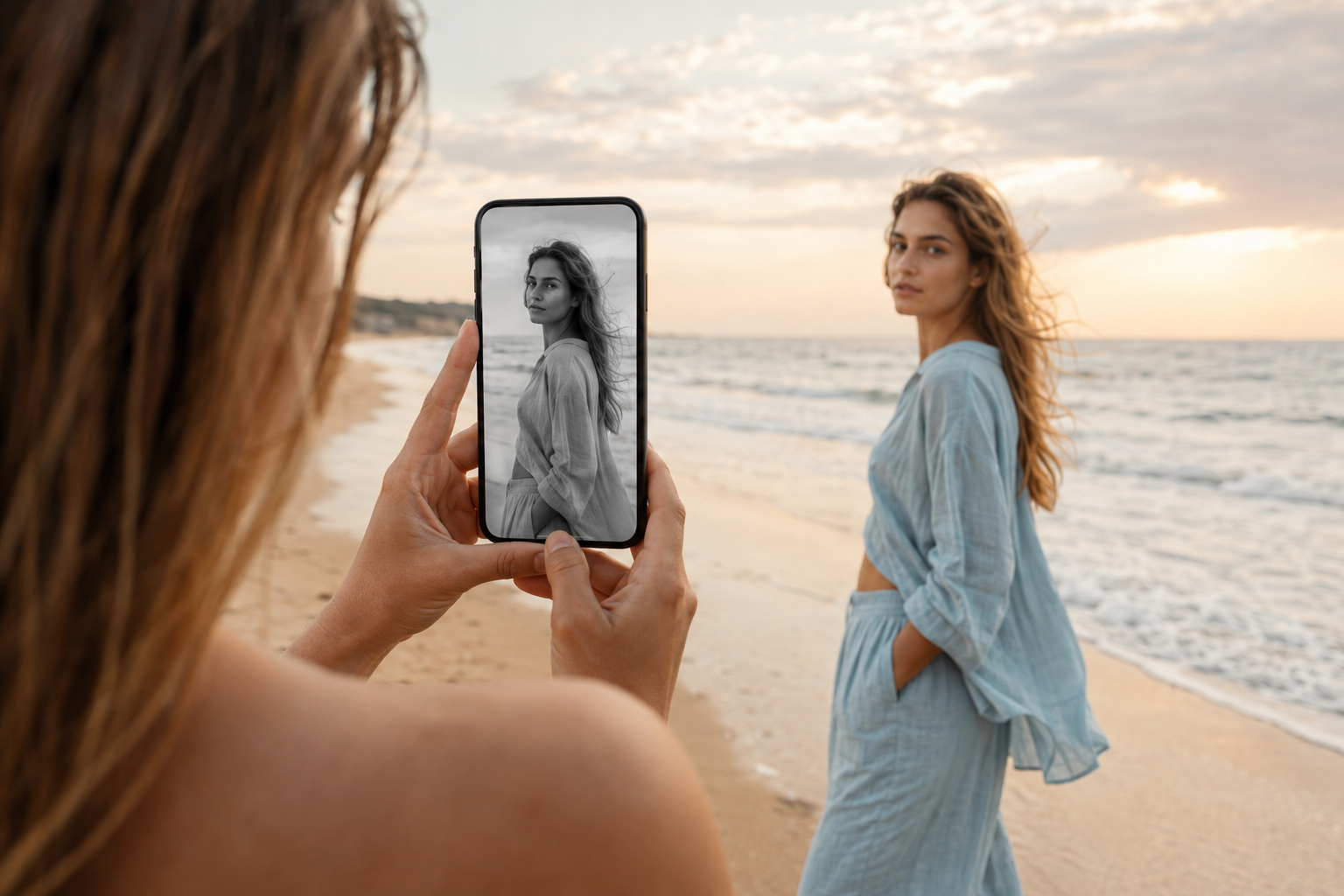
You can create a basic black and white look directly inside Instagram using its filters and editing tools, apply compatible camera effects while creating Stories or Reels, or prepare a more detailed monochrome version in Meta Edits, CapCut, or another editor before uploading the finished content. Instagram’s official effects and filters guidance explains that photos and videos can be edited before sharing, while its camera effects documentation confirms that camera effects can be used with Stories and Reels.
The exact filter names, effect names, and control positions can vary according to your Instagram version, device, account, and region, so you may not always find one universal effect literally named “Black and White.” Search for related terms such as black and white, monochrome, mono, noir, grayscale, classic film, old movie, vintage black and white, or cinematic monochrome. Understanding the visual principles behind monochrome editing is therefore more useful than depending on one temporary preset.
Definitions: What Is the Black and White Effect? 🎞️
The black and white effect removes or greatly reduces visible color information so the viewer experiences the image mainly through luminance, which means the relative brightness and darkness of different areas. Instead of separating a red jacket from a green wall through color, a monochrome image must distinguish those objects through brightness, texture, lighting, depth, composition, or movement.
This is why simply removing saturation does not always produce an attractive result. Two objects that look completely different in color can become nearly identical shades of gray after conversion. A vivid red flower beside a green leaf may appear clearly separated in a color photograph, but once the color disappears, both surfaces may fall into similar middle gray values. Strong black and white editing compensates by adjusting highlights, shadows, contrast, brightness, and composition.
Black and white is not automatically vintage. Monochrome imagery can look modern, luxurious, minimalist, documentary inspired, cinematic, romantic, dramatic, clean, or intentionally old depending on the lighting and treatment. Grain, dust, scratches, faded blacks, and flicker can create a historic film atmosphere, but none of those elements is required for a contemporary black and white Instagram post.
Think of the technique as removing several instruments from a song 🎵. Once color disappears, the remaining elements become more noticeable. Facial expressions, shadows, texture, silhouette, reflections, movement, and composition suddenly carry more responsibility. Monochrome simplifies the visual language, but that simplicity makes both strong and weak creative decisions easier to notice.
Why Is the Black and White Effect Important on Instagram?
Instagram is filled with vivid clothing, colorful travel imagery, bright product packaging, food photography, saturated sunsets, beauty content, and highly processed smartphone video, so monochrome content can create immediate contrast within the feed 👀. Removing color can make a post feel quieter and more deliberate, encouraging the viewer to notice expressions, textures, architecture, light, fabric, jewellery, movement, and subtle details that might otherwise compete with strong colors.
Black and white works particularly well for portraits, fashion, music performances, street photography, weddings, jewellery, architecture, emotional storytelling, dance, fitness, interviews, documentary style content, luxury products, automotive photography, poetry, and cinematic Reels. A musician recorded under directional side lighting can feel more intimate in monochrome, while a fashion creator can emphasize tailoring, shape, fabric movement, and silhouette instead of garment color.
Monochrome can also strengthen emotional interpretation because facial expressions become more prominent when bright background colors no longer compete for attention. Eyes, wrinkles, hair, hands, gestures, reflections, and small movements can carry greater visual weight. However, removing color is not automatically an improvement. Food, cosmetics, flowers, destinations, artwork, and commercial products may depend heavily on accurate color, so the effect should support the content rather than simply follow a trend.
Popular Black and White Styles for Instagram
| Style | Main Characteristics | Best Instagram Content | Recommended Contrast |
|---|---|---|---|
| Clean Monochrome | Balanced gray tones, natural skin, controlled highlights, minimal grain | Portraits, products, interviews, beauty | Low to medium |
| High Contrast Noir | Deep blacks, bright highlights, dramatic shadows | Fashion, music, mystery, cinematic Reels | High |
| Soft Black and White | Lifted shadows, gentle contrast, smooth highlights | Weddings, family, romance, lifestyle | Low |
| Vintage Film | Grain, faded blacks, scratches, flicker, softer detail | Memories, travel, retro fashion, music | Medium |
| Documentary Style | Natural texture, realistic exposure, restrained processing | Street scenes, interviews, human stories | Medium |
| Luxury Monochrome | Clean highlights, polished reflections, controlled blacks | Jewellery, watches, fashion, cars | Medium to high |
| Silhouette Style | Strong dark shapes against bright backgrounds | Dance, architecture, sport, artistic Reels | High |
How to Create a Black and White Instagram Photo
The easiest method is to use Instagram’s photo filters and editing tools while preparing a post. Select the photograph from your camera roll, continue to the editing screen, and preview the available filters. Look for a monochrome or low saturation filter that produces the tonal character you want. If the result appears too harsh, reduce the filter intensity rather than accepting the default strength automatically.
Instagram also provides individual photo adjustments that can help refine the monochrome look. Its official photo editing guide documents controls such as Brightness, Contrast, Highlights, Shadows, Warmth, Saturation, Fade, Vignette, and Sharpen. Reducing Saturation removes color, while the other controls help reshape the tonal structure afterward.
Step by Step Instagram Photo Method
- Open Instagram and create a new photo post.
- Select the photograph from your camera roll.
- Continue to the editing screen.
- Preview available monochrome or low color filters.
- Reduce filter strength if the default result looks too aggressive.
- Open the manual editing controls.
- Reduce Saturation until the image becomes monochrome.
- Adjust Brightness so the main subject remains visible.
- Use Contrast to create stronger separation where necessary.
- Lower Highlights when skin, sky, or white objects become too bright.
- Lift Shadows carefully when dark hair, clothing, or backgrounds lose detail.
- Add Fade or Vignette only when they support the intended style.
- Compare the finished image with the original before publishing.
How to Create the Black and White Effect on Instagram Reels
Instagram Reels can combine recorded footage and clips from the camera roll, and creators can add music, effects, voiceovers, and other editing elements. Instagram’s current Reels guidance explains the basic recording and clip workflow, while the platform’s Reels effects page covers the Effects menu.
When creating a Reel, begin by choosing whether the complete video should remain monochrome or whether only selected clips need the effect. A full black and white Reel can create a consistent cinematic mood, while alternating between monochrome and color can emphasize changes in time, emotion, location, memory, or narrative.
Basic Reel Workflow
- Open Instagram and choose Reel.
- Record new footage or add clips from your camera roll.
- Arrange the clips into a clear sequence.
- Open Effects if you want to search for a monochrome camera treatment.
- Search for black and white, mono, noir, grayscale, or film.
- Preview the treatment on the actual footage.
- Check faces, hair, clothing, products, and background separation.
- Trim repeated or weak moments.
- Add music, original audio, captions, and text.
- Choose a cover image with strong tonal contrast.
- Review the complete Reel before sharing.
How to Find a Black and White Camera Effect on Instagram
Open the Effects area while creating a Story or Reel and search for several related phrases rather than one exact effect name. Useful expressions include black and white, monochrome, mono, noir, grayscale, old film, classic movie, cinematic black and white, and vintage monochrome.
Preview several effects because one option may simply remove color, while another may add grain, scratches, dust, flicker, strong contrast, facial adjustments, or an old movie frame. A clean modern portrait usually benefits from a restrained effect, while a retro concept may support more visible texture.
How to Record Better Footage for Black and White 🎥
Monochrome footage becomes much stronger when you think about light before recording. Once color disappears, differences in brightness and texture become the main tools for separating the subject from the environment. Directional window light, side lighting, streetlights, doorways, lamps, blinds, open shade, and reflections can create interesting tonal structure without requiring complicated equipment.
Side light works especially well because it creates visible shape across faces, fabric, muscles, architecture, food surfaces, products, and objects. Front light produces a cleaner and softer appearance, while backlighting can produce silhouettes and bright outlines around hair or clothing.
Pay particular attention to the background. A dark shirt against a dark wall may disappear once both become similar shades of gray. Increase physical distance from the background, use a brighter wall, add side light, or place a small rim light behind the subject to create separation.
Textures become especially valuable in monochrome. Brick, concrete, wood, hair, fabric, jewellery, glass, smoke, rain, water, metal, skin, leaves, and rough architectural surfaces can look more interesting because viewers notice their structure instead of their color.
How to Create a Cinematic Black and White Reel 🎬
A cinematic monochrome treatment normally begins with balanced exposure rather than extreme contrast. Remove color, then shape the brightest and darkest areas carefully. Preserve facial highlights, keep enough detail in black clothing and hair, and deepen selected shadows only where they improve the composition.
For a dramatic style, lower the deepest blacks moderately and allow parts of the environment to disappear into shadow. For a softer style, lift the darkest areas slightly and reduce harsh highlights. The aim is not to use every available tonal range equally, but to create a deliberate visual hierarchy.
Simple Cinematic Recipe
- Remove Saturation completely.
- Correct Exposure before increasing Contrast.
- Deepen black areas moderately.
- Protect facial and product Highlights.
- Maintain important Shadow detail.
- Add subtle film grain when appropriate.
- Reduce excessive digital sharpness when the footage feels harsh.
- Use Vignette only when it helps direct attention.
How to Create a Soft Black and White Look
Wedding footage, romantic portraits, family memories, personal Stories, beauty content, and calm lifestyle Reels often benefit from softer monochrome rather than dramatic noir contrast. Reduce saturation, lower contrast slightly, lift deep shadows, soften bright highlights, and keep the midtones smooth.
Skin should retain shape and texture even though color disappears. Fine grain can add a tactile quality, but it should remain subtle enough that eyes, hair, skin, clothing, and captions stay clear. A soft black and white image should still contain some darker tones so it does not become a flat field of gray.
How to Create a High Contrast Noir Look 🕵️
Noir inspired editing depends on strong directional lighting and bold separation between illuminated and shadowed areas. A single side light, window blinds, doorways, streetlights, headlights, lamps, or architectural shadows can create dramatic patterns across the frame.
After removing color, increase Contrast carefully and deepen Shadows. Preserve selected highlights on eyes, cheekbones, jewellery, smoke, rain, reflective clothing, or metal. Do not crush every dark area because the viewer still needs enough gray information to understand the scene.
How to Create Black and White Reels with Meta Edits
Meta’s Edits application gives Instagram creators a more detailed mobile timeline when the native Reel workflow does not provide enough control. Meta describes Edits as a dedicated creation application with clip level editing, a frame accurate timeline, effects, transitions, project management, and direct Instagram sharing. Meta’s April 2026 update also identified advanced color adjustments among the application’s continuing editing improvements. You can review these developments in Meta’s official Edits introduction and 2026 Edits update.
Practical Edits Workflow
- Open Edits and create a project.
- Import the video clips.
- Arrange the complete Reel before applying strong styling.
- Select individual clips that need tonal correction.
- Reduce or remove color using the available adjustment tools.
- Match brightness and contrast between clips.
- Protect highlights on faces, white clothing, lamps, and reflective objects.
- Preserve enough shadow detail in hair and dark clothing.
- Add transitions only where they support the story.
- Add captions, audio, voiceover, and final effects.
- Review and share the finished project to Instagram.
How to Create Black and White in CapCut
CapCut provides another straightforward workflow when you want detailed control over monochrome video before uploading it to Instagram. CapCut’s official black and white video guide explains how color footage can be converted to monochrome, while its black and white filter tool highlights brightness, contrast, shadows, and tonal adjustments as useful controls for refining monochrome imagery.
CapCut Workflow
- Create a new vertical project.
- Import the Instagram footage.
- Arrange and trim the complete sequence.
- Select the main clip.
- Open Filters or Adjust.
- Choose a monochrome treatment or reduce Saturation completely.
- Correct Brightness and Exposure.
- Adjust Contrast according to the intended mood.
- Lower Highlights when bright detail disappears.
- Lift Shadows when important dark information becomes invisible.
- Add subtle grain where appropriate.
- Repeat the correction for individual clips when lighting changes.
- Add text, captions, music, and transitions.
- Export the project once and upload it to Instagram.
How to Add Film Grain to Black and White Content
Film grain can make monochrome content feel more tactile by interrupting the extremely clean surfaces produced by modern smartphone cameras. Grain works particularly well for documentary inspired Reels, fashion, vintage concepts, music videos, street photography, travel memories, and artistic portraits.
Keep grain restrained enough that facial features, product labels, captions, fabric texture, and environmental details remain visible. Dark monochrome footage can already contain digital noise, so recording under sufficient light and adding deliberate grain afterward usually produces a cleaner result than intentionally underexposing the original video.
How to Create a Vintage Black and White Effect
A vintage monochrome treatment can combine black and white color with fine grain, slightly faded blacks, soft highlights, occasional dust, restrained scratches, gentle flicker, and subtle frame movement. Use these imperfections selectively rather than placing heavy damage across every frame.
A convincing old film look usually contains long moments where very little happens to the image. An occasional scratch or exposure flicker feels more believable because it interrupts otherwise stable footage. Constant scratches, dust, burns, and shaking can make the effect feel like a modern preset rather than aged film.
How to Create a Black and White to Color Transition
A black and white to color transition can represent a change in mood, memory, time, location, relationship, outfit, product state, or emotional perspective. Begin with the monochrome version and reveal the full color footage using a clean cut, fade, mask, flash, object wipe, or movement transition.
CapCut also offers templates based around black and white footage gradually becoming colorful, which can provide a fast starting point for this concept. Synchronize the reveal with a beat drop, smile, door opening, location change, product reveal, outfit transformation, or other meaningful event so the transition feels connected to the story.
Black and White Effect Workflow Diagram
Choose the Intended Mood
          ↓
Plan Light and Background Separation
          ↓
Record Wide, Medium, and Detail Shots
          ↓
Arrange the Best Clips
          ↓
Remove Color
          ↓
Correct Exposure
          ↓
Balance Highlights and Shadows
          ↓
Set the Desired Contrast
          ↓
Add Grain or Vintage Texture if Needed
          ↓
Check Skin, Clothing, and Product Detail
          ↓
Add Music, Text, and Captions
          ↓
Review at Normal Phone Size
          ↓
Publish on Instagram
Practical Black and White Instagram Examples
Example One: Emotional Portrait 🖤
Place the person beside a large window and allow the light to reach one side of the face. Keep the background simple, remove color, protect facial highlights, and preserve enough shadow around the eyes and hair. Use a restrained crop and quiet expression so the viewer focuses on the person rather than the editing.
Example Two: Street Fashion Reel 👗
Record someone walking through concrete architecture, stairs, tunnels, or city streets. Combine wide outfit views with fabric, shoe, jewellery, and movement details. Use medium to high contrast while preserving enough separation between dark clothing and dark environments.
Example Three: Music Performance 🎤
Record a musician with side lighting and capture the face, hands, microphone, instrument, audience, and environmental details. Moderate grain and deeper shadows can create atmosphere while selected highlights keep the performer visible.
Example Four: Wedding Memory 💍
Use a softer monochrome treatment for hands, rings, facial expressions, fabric, flowers, dancing, and candid moments. Preserve smooth gray transitions across skin and white clothing instead of increasing contrast aggressively.
Example Five: Luxury Product ⌚
Place a watch, jewellery piece, perfume bottle, handbag, or automotive detail against a controlled background and use directional lighting to create reflections. Black and white can emphasize shape, engraving, texture, material, and craftsmanship.
Example Six: Rainy City Reel 🌧️
Record umbrellas, pavement reflections, windows, traffic, footsteps, streetlights, and moving people. Remove color, deepen the shadows moderately, and keep wet reflections bright enough to create visual rhythm and texture.
An Illustrative Personal Editing Experience
Illustrative first person example: “When I created my first black and white Instagram Reel, I simply removed all saturation and assumed the job was finished. The original color footage showed someone wearing a dark red jacket in front of a green wall, but after the conversion both areas became almost the same gray tone and the person disappeared into the background. I adjusted the exposure, brightened the wall slightly, deepened the jacket, and added more side light to the face. The second version felt much more three dimensional even though it contained exactly the same amount of color: none.”
This example demonstrates an essential monochrome principle: when color disappears, tonal separation becomes critical. People, clothing, objects, and backgrounds must be distinguished through brightness, texture, depth, lighting, or movement instead of relying on hue.
How Black and White Creates Emotional Connection 🤍
Removing color can change the emotional interpretation of a scene because it reduces visual competition and allows people, expressions, silhouettes, textures, and light to carry more of the story. A simple smile can feel more intimate, while rain, architecture, smoke, hands, reflections, or quiet facial expressions can become more noticeable once bright colors disappear.
Black and white can suggest memory, documentary photography, elegance, seriousness, timelessness, artistic intention, or nostalgia depending on how the image is treated. However, monochrome does not create emotion automatically. The subject, timing, composition, audio, expression, and story still need to communicate something meaningful.
The strongest black and white Instagram content makes the absence of color feel intentional. The viewer should sense that the photograph or Reel became stronger because color was removed, not simply different because a filter was available.
Common Black and White Editing Mistakes
Only Removing Saturation
A simple grayscale conversion can make the image look flat. Adjust contrast, brightness, highlights, and shadows afterward.
Using Too Much Contrast
Deep blacks can create drama, but crushing every shadow removes hair, clothing, product, and environmental detail.
Overexposing Skin
Some monochrome filters make skin excessively bright. Lower Highlights and preserve natural facial texture.
Losing Background Separation
Different colors may become similar shades of gray. Change lighting, framing, brightness, or depth to separate the subject.
Adding Too Much Grain
Heavy grain can hide eyes, text, fabric, products, and facial detail. Use texture carefully.
Making Every Black and White Edit Vintage
Monochrome does not require dust, scratches, flicker, or film damage. Modern clean black and white can be equally effective.
Ignoring Lighting
Black and white depends heavily on light and shadow. Flat lighting can produce an uninteresting gray image.
Using Monochrome for Color Critical Products
Clothing, makeup, food, flowers, art, and products may require accurate color. Show the real color somewhere when it matters commercially.
Making Text Too Low Contrast
Gray captions over gray footage can become difficult to read. Use strong text separation and simple placement.
Using the Effect Without a Reason
Black and white should strengthen mood, composition, emotion, texture, or storytelling rather than function as an automatic creative shortcut.
People Also Asked
Does Instagram have a built in black and white filter?
Instagram provides photo filters and editing controls that can create monochrome results, while Stories and Reels also support searchable camera effects. Exact filter and effect names can vary between accounts and versions.
Can I make an Instagram Reel black and white after recording?
Yes. You can apply an available effect during the Instagram creation workflow or prepare the footage in Meta Edits, CapCut, or another editor before uploading it.
Is black and white the same as grayscale?
Grayscale technically describes an image without color, while creative black and white editing usually includes additional decisions involving contrast, highlights, shadows, grain, exposure, and tonal balance.
Why does my monochrome image look flat?
The scene may contain too little tonal separation or directional light. Adjust contrast, highlights, shadows, brightness, and subject separation instead of only removing saturation.
Can I make only part of a Reel black and white?
Yes. You can apply monochrome to selected clips or use layers and masks in a more advanced editor to reveal color in selected areas.
Can businesses use black and white Instagram content?
Yes. Fashion, jewellery, hospitality, automotive, architecture, luxury, music, and personal brands can use monochrome effectively when important product information remains clear.
Frequently Asked Questions
1. What should I search for in Instagram Effects?
Search for black and white, monochrome, mono, noir, grayscale, classic film, old movie, vintage black and white, and cinematic monochrome.
2. Should I use a Filter or an Effect?
Use a Filter or manual photo adjustment for a clean monochrome result and an Effect when you want additional styling such as grain, old film texture, flicker, or animation.
3. How much contrast should I use?
The correct amount depends on the mood. Wedding and portrait content may benefit from softer contrast, while noir, fashion, music, and automotive content can support deeper blacks.
4. Should I add film grain?
Fine grain can add cinematic texture, but it is optional. Minimal portraits and clean product content may look stronger without visible grain.
5. Why does my face look too bright in black and white?
The selected treatment may be increasing highlights or contrast too strongly. Reduce the effect intensity or lower facial Highlights.
6. How can I keep black clothing visible?
Use side or rim lighting, choose a lighter background, and avoid lowering Shadows until the garment becomes featureless black.
7. Is black and white good for fashion Reels?
Yes. It can emphasize silhouette, tailoring, texture, movement, shoes, jewellery, and styling, although real garment color should also be shown when it matters to customers.
8. Can Meta Edits help with monochrome Reels?
Yes. Edits provides clip level editing and an increasingly advanced set of color adjustment tools, making it useful when different Reel clips need individual tonal correction.
9. How do I create a vintage black and white look?
Combine monochrome color with moderate grain, slightly faded blacks, soft highlights, restrained scratches, occasional dust, and gentle flicker.
10. How do I make black and white Instagram content look professional?
Start with good lighting, preserve tonal separation, control highlights and shadows, use contrast intentionally, keep grain restrained, and make sure removing color strengthens the subject or story.
Conclusion
Creating the black and white effect on Instagram involves much more than removing color. A convincing monochrome photograph, Story, or Reel depends on lighting, tonal separation, contrast, texture, highlights, shadows, composition, and subject clarity because once color disappears these elements become responsible for guiding the viewer’s attention 🖤🤍.
Instagram’s native photo filters and adjustment tools provide the quickest workflow for monochrome photographs, while searchable camera effects can create black and white treatments inside Stories and Reels. Meta Edits provides more detailed clip level editing and expanding color controls, while CapCut offers dedicated black and white filters and manual tonal adjustments for creators who want greater control before uploading.
The most important principle is to think in terms of light rather than color. Ask whether the subject remains visible, whether facial detail survives, whether dark clothing separates from the background, whether highlights remain controlled, and whether texture still feels natural. Do not increase contrast automatically or assume that deeper blacks always create a more cinematic image.
A successful black and white Instagram post should make viewers notice expression, movement, light, texture, atmosphere, and story before they think about the missing color, and when the monochrome treatment makes the scene feel stronger rather than simply different, the effect has achieved its real purpose 💫.